 SmartKeyboard
Say it how you mean it.
Make a rushed message more considered. Keep a friendly reply friendly. Choose a tone that fits the conversation.
AI WRITING KEYBOARD FOR IPHONE & IPAD
Turn a rough draft into a thoughtful reply.
Rewrite, adjust the tone, and reuse your own prompts — right from your keyboard.
iOS 26+ · Free on-device AI on supported devices
Check compatibility · Optional paid upgrades
YOUR DRAFT
hey, any update on this? need it by friday
YOUR NEXT REPLY
Hi, just checking in on this. Could you send an update by Friday?
Illustrative examples. Actual results vary.
LESS REWRITING. MORE GETTING ON WITH IT.
A message can be clear, warm, and professional.
Get a hand with the last little edit.
Make a rushed message more considered. Keep a friendly reply friendly. Choose a tone that fits the conversation.
Use the keyboard in supported text fields in apps like Mail, Messages, and Notes. Choose an action without moving your draft into a separate AI app.
“Keep it brief. Use British English. Skip the corporate language.” Create a custom prompt and reach for it again.
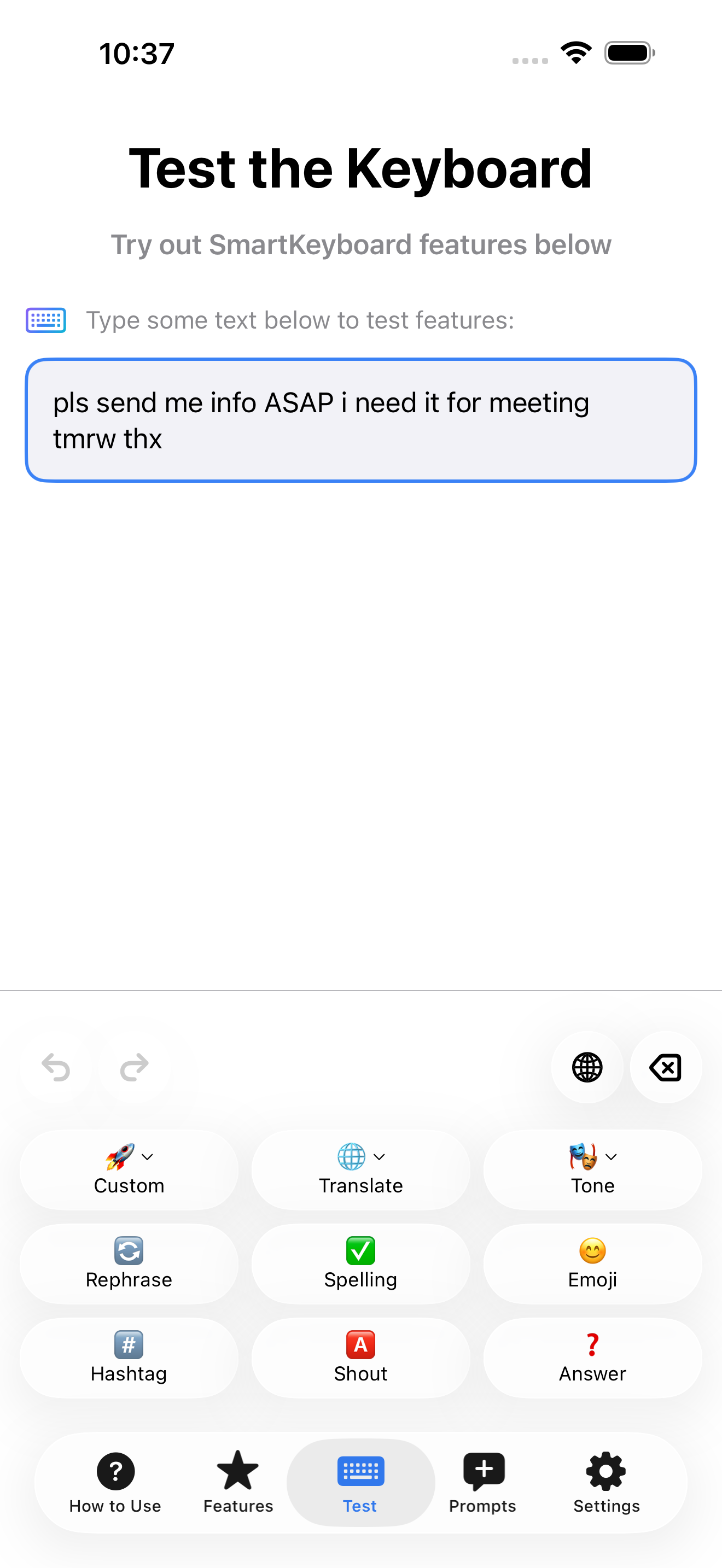
The keyboard in the app’s Test screen.
MAKE IT YOURS
Start with a built-in prompt, or save one for the way you work. Give it a name and an emoji so it’s easy to find.
Rewrite this as a friendly client follow-up. Keep it under 50 words. Make the next step clear, without sounding pushy.
One custom prompt is included free.
Basic and Pro let you save unlimited custom prompts.
A QUICK SETUP, THEN YOU’RE WRITING
Download the app, then add SmartKeyboard in iOS Settings → General → Keyboard → Keyboards.
Open a supported text field. Use the globe key to switch keyboards, then select the text you want to rewrite.
Pick an action or a saved prompt. Review the rewritten text before you send it.
YOUR WORDS DESERVE CARE
With Apple Intelligence selected and available, your writing is processed on your device. No AI account or API key is needed.
Prefer OpenAI or Gemini? Basic and Pro unlock these optional providers. You add your own API key, and text you submit goes to the provider you choose.
Read about privacy →START WITH A BETTER REPLY
Start writing with on-device AI on a supported device. No subscription needed. Upgrade only when you want more saved prompts or cloud providers.
FREE · START HERE
$0
Everyday writing. No subscription required.
BASIC
$2.99 / month
Or $24.99 billed yearly.
PRO
$5.99 / month
Or $49.99 billed yearly.
Prices shown in USD for the US App Store. Local prices are shown before purchase. Paid subscriptions renew automatically unless cancelled.
* Requires Apple Intelligence to be available and enabled on a supported device. ** Cloud providers require your own API key; any provider usage charges are separate from your SmartKeyboard subscription.
The app requires iOS 26 or later. Free on-device writing also needs a device that supports Apple Intelligence, with Apple Intelligence enabled and its model available. iOS compatibility alone does not guarantee on-device AI. Read the compatibility guide.
On supported devices, Free includes unlimited Apple Intelligence transforms, five built-in prompts (Email, Summarize, Formal, Casual, and Explain), and one custom prompt. Basic and Pro unlock additional features.
Not for Apple Intelligence. OpenAI and Gemini require a Basic or Pro subscription and your own API key. Provider usage charges are separate; a SmartKeyboard subscription does not include cloud credits.
SmartKeyboard puts reusable custom prompts in a keyboard you can switch to while writing. It’s useful if you want to apply the same instructions regularly, or use your own OpenAI or Gemini key.
When you choose an action, the keyboard uses your selection, or available text around the cursor if nothing is selected. Apple Intelligence processes it on-device; choosing a cloud provider sends the submitted text to that provider. Read the privacy policy.
It works in apps and text fields that allow third-party keyboards. Secure password fields and some apps do not. iOS can also limit how much text a keyboard can access around the cursor.
ONE LESS THING TO OVERTHINK

On your computer?
Scan with your iPhone.